// CMS · Architecture · Migration
Moving from WordPress to Payload CMS and Next.js
The why, the cost, and the benefits — from someone who has spent years keeping WordPress websites running.
I’m not moving away from WordPress because it stopped working. I’m moving toward a setup where the team can understand, own, and change what they’re shipping.
01 — The problem wasn’t publishing. It was control.
I’ve helped build and maintain dozens of WordPress websites. For a lot of clients, it was the right starting point: familiar editing, a huge ecosystem, and a quick path from an idea to a live website.
More recently, I was helping Ontex, a large company running ten websites on WP Engine. Working across those sites made one issue impossible to ignore: in the setup I encountered, there wasn’t enough control over the codebase.
I’d seen similar problems elsewhere. A site works, but nobody is fully confident about moving it, rolling it back, patching it, or maintaining it without the original agency. Changes can be spread across plugins, theme files, page-builder settings, and the database. A Git rollback alone doesn’t restore all of that.
That’s not a claim that WordPress or WP Engine prevents ownership. WordPress is open source, and well-managed WordPress projects can absolutely use Git, staging, backups, and repeatable deployments. My frustration was with how these particular websites had been assembled and handed over.
A website shouldn’t become a black box the moment it goes live.
02 — Why I landed on Payload
I explored headless options including Sanity, Contentful, and Strapi. They’re all worth considering. Hosted platforms can remove operational work; Strapi offers an open-source, self-hosted approach too. This isn’t a story where every alternative is bad.
Payload clicked because its code-first approach fits how I work. Collections, access rules, hooks, and custom behaviour live alongside the application in TypeScript. The CMS and a Next.js frontend can share a project rather than becoming two disconnected systems.
Its core is open source and MIT licensed, with self-hosting available. That gives me control over the application and a choice of infrastructure, rather than making a hosted CMS subscription the only way to run it. [2]
The community, documentation, and starter templates also helped me learn quickly. For developers coming from WordPress, those examples make a new way of thinking about content much less intimidating.
“No lock-in” still needs an asterisk. Your content models and custom code depend on Payload, just as a WordPress site depends on its themes and plugins. The difference is having the source and a realistic path to export, adapt, and move it — not pretending migration will ever be effortless.
03 — Free software isn’t a free website
Payload’s open-source core has no licence fee. But a production website still needs hosting, a database, persistent media storage, backups, monitoring, and often an email service. Optional enterprise services are separate. [2]
| Cost | What actually drives it |
|---|---|
| CMS licence | No fee for the open-source core; optional paid services are separate. |
| Migration · one-off | Templates, content volume, languages, redirects, integrations, and editor training. |
| Infrastructure · ongoing | Traffic, compute, database capacity, media storage, backups, and email. |
| Maintenance · ongoing | Updates, security checks, monitoring, restore tests, and new features. |
For ten websites, the real question is whether shared components and a repeatable release process reduce the cost of change. Ten copies of the same maintenance problem are expensive, even if the CMS itself is free.
I wouldn’t promise a percentage saving without reviewing the sites and their bills. A migration has an upfront cost, and a small, stable WordPress website may be cheaper to keep. Compare total cost over time, not just the hosting invoice.
04 — How I’d approach the migration
This is the plan I’d use for a new migration — not a claim that I migrated Ontex’s ten sites to Payload.
- Inventory before rebuilding. List pages, post types, plugins, forms, languages, media, analytics, integrations, and URL patterns. Take a full database and uploads backup.
- Model the content. Turn posts, pages, categories, and reusable sections into explicit collections and blocks. Decide what editors can change without turning every page into an unstructured canvas.
- Run a small import. Use a WordPress export or REST API, depending on access. Map authors, slugs, dates, SEO fields, and media. Page-builder shortcodes and custom plugin data usually need extra conversion.
- Build one real page first. Include a difficult layout, a form, and an editor preview. Let the people who publish content test it before rebuilding everything.
- Protect the launch. Preserve URLs where possible, add permanent redirects where they change, and check metadata, canonicals, sitemaps, consent, accessibility, and analytics.
- Rehearse the cutover. Freeze editing briefly or import the final changes, test backups and restores, and keep the old site available for a planned rollback. Code and database changes need a compatible rollback strategy.
05 — Start with a working foundation
The following snippets belong in a separate Payload + Next.js project. Before starting, check the current Node.js and Next.js compatibility requirements; they change between releases. The official scaffold is the simplest entry point. [1]
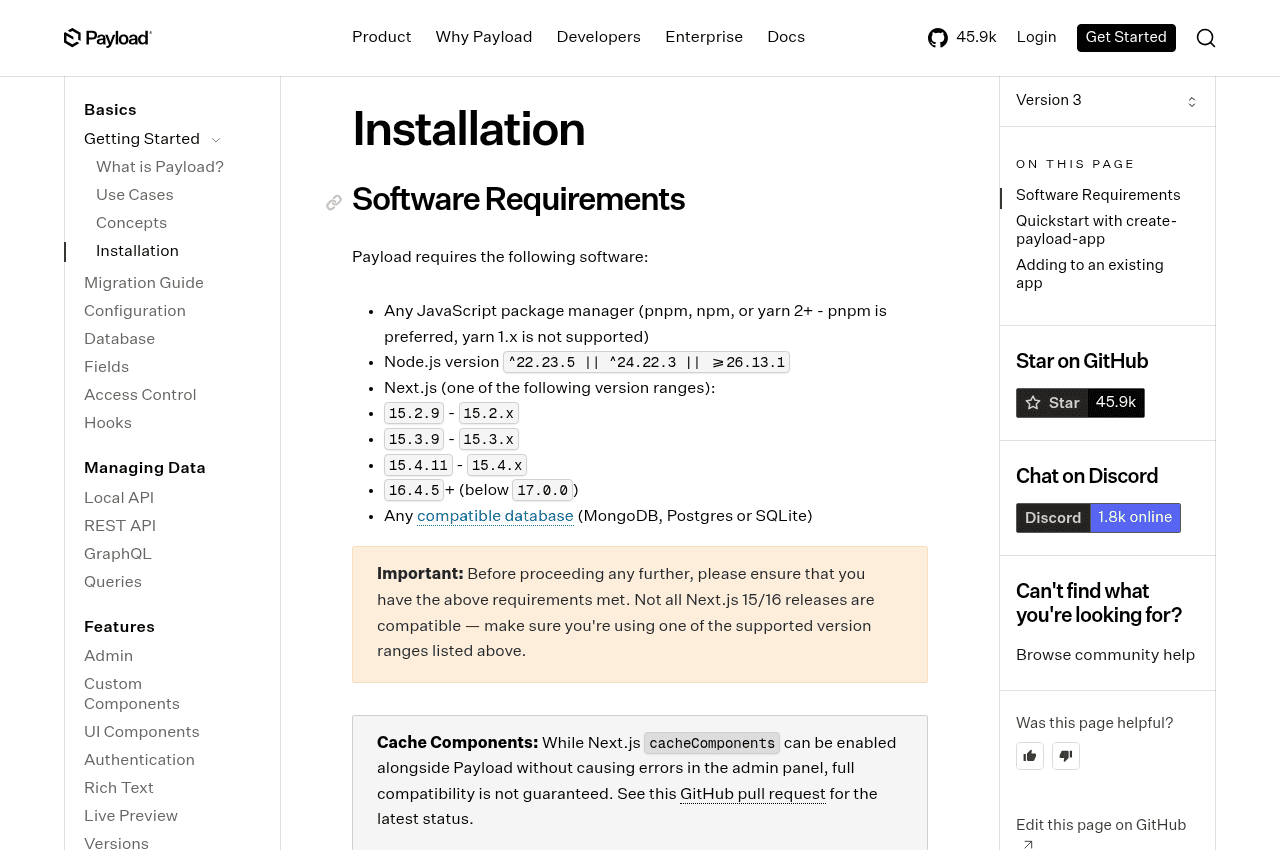
npx create-payload-app@latest
# Follow the prompts: choose the Website template
# and a database supported by that template.

cd my-website
# Use the folder name you selected in the prompts.
pnpm install
pnpm dev
Name the project my-website in the prompts if you want to use the commands above unchanged. Configure the generated environment file with a private CMS secret and your database connection. Keep it out of Git; never expose those values to browser code. Start the app, open http://localhost:3000/admin, and create the first administrator.
Define what a page is
The Website template already includes a Pages collection. The example below shows a deliberately smaller model: adapt the existing collection rather than registering a second one with the same slug. It uses an explicit draft/published field; it is not a replacement for a complete editorial workflow.
import type { CollectionConfig } from 'payload'

export const Pages: CollectionConfig = {
  slug: 'pages',
  admin: { useAsTitle: 'title' },
  access: {
    // Public visitors can read published content only.
    read: ({ req: { user } }) =>
      user ? true : { status: { equals: 'published' } },
    create: ({ req }) => Boolean(req.user),
    update: ({ req }) => Boolean(req.user),
    delete: ({ req }) => Boolean(req.user),
  },
  fields: [
    { name: 'title', type: 'text', required: true },
    { name: 'slug', type: 'text', required: true, unique: true },
    { name: 'content', type: 'richText' },
    {
      name: 'status',
      type: 'select',
      defaultValue: 'draft',
      required: true,
      options: ['draft', 'published'],
    },
  ],
}
For a blank project, add this collection to the collections array in your Payload config, configure the Lexical editor, and generate types with pnpm exec payload generate:types. In a real team, authenticated users also need role-specific permissions — not blanket editing access.
Render published content in Next.js
In a project using that simplified model, a server-rendered page can query Payload directly. The explicit publication filter and access-control setting keep drafts out of the public page. The Website template already supplies richer rendering; use this to understand the flow, not overwrite its existing routes blindly.
// src/app/(frontend)/[slug]/page.tsx
import { getPayload } from 'payload'
import config from '@payload-config'
import { notFound } from 'next/navigation'
import { RichText } from '@payloadcms/richtext-lexical/react'

export default async function Page({ params }: {
  params: Promise<{ slug: string }>
}) {
  const { slug } = await params
  const payload = await getPayload({ config })
  const { docs } = await payload.find({
    collection: 'pages',
    where: {
      and: [
        { slug: { equals: slug } },
        { status: { equals: 'published' } },
      ],
    },
    limit: 1,
    overrideAccess: false,
  })
  const page = docs[0]
  if (!page) notFound()

  return (
    <main>
      <h1>{page.title}</h1>
      {page.content && <RichText data={page.content} />}
    </main>
  )
}
Then add metadata, preview handling, caching and revalidation, media rendering, and the components your design needs. Build and test the complete project before deployment; these snippets illustrate the starting point, not a finished WordPress importer.
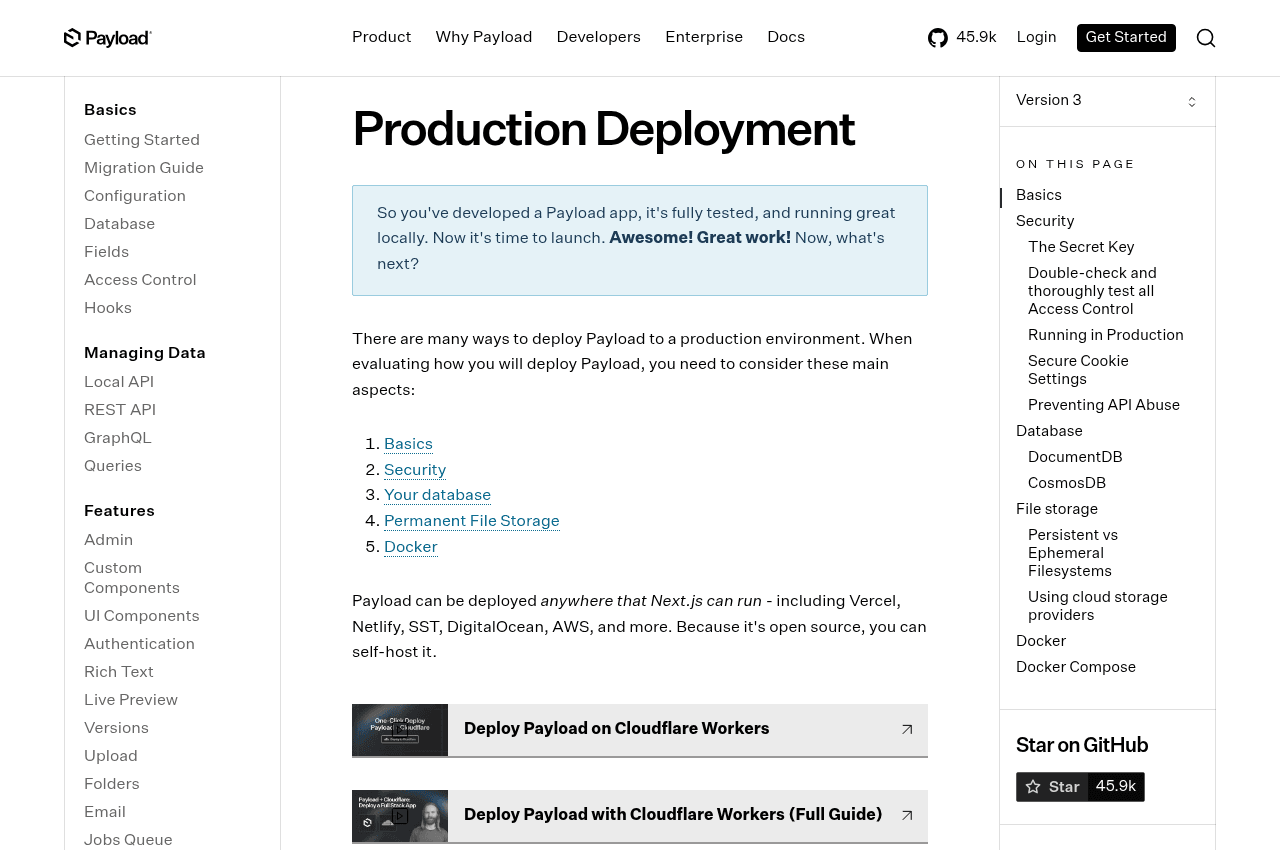
Use persistent object storage for uploads on ephemeral hosting, protect the admin area, test access rules, and keep recoverable database backups. Payload’s deployment guide covers those production concerns. [3]
06 — What improves — and what doesn’t disappear
A codebase you can reason about. Schemas and behaviour are reviewed in Git. Automated checks and deliberate releases make changes easier to understand and reproduce.
A frontend built for your product. Next.js gives you control over rendering, component reuse, and caching. That can improve performance, but only if you measure it: heavy scripts, poor images, and bad queries can slow any stack down.
Reusable, structured content. Content is no longer tied to one theme’s markup. With deliberate modelling, it can serve a website, a mobile app, or another channel.
A clearer handover. Source code, documented setup, infrastructure access, exports, and a tested restore procedure give a client a realistic way to keep working with another team.
The trade-off is responsibility. Someone still owns security patches, database migrations, hosting, and editor support. And WordPress’s ready-made plugins won’t magically follow you. Sometimes you’ll need to build what a plugin previously supplied.
My conclusion is simple: don’t migrate because headless is fashionable. Migrate when the cost of your current constraints is greater than the cost of changing them. For the kind of custom software I build, Payload and Next.js make that change worth exploring.
Thinking about leaving WordPress?
I can help you assess what’s worth keeping, what needs rebuilding, and whether a migration makes business sense.
Let’s talk